To enable DAD:
- Login to the Secure edge by username and password
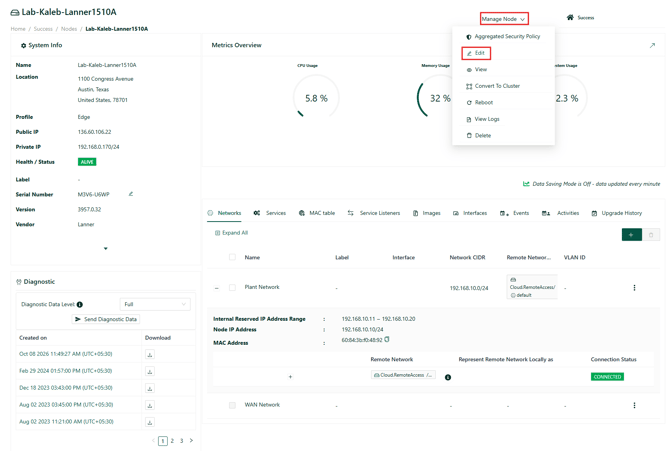
- Navigate to Manage Node and from the dropdown select Edit.
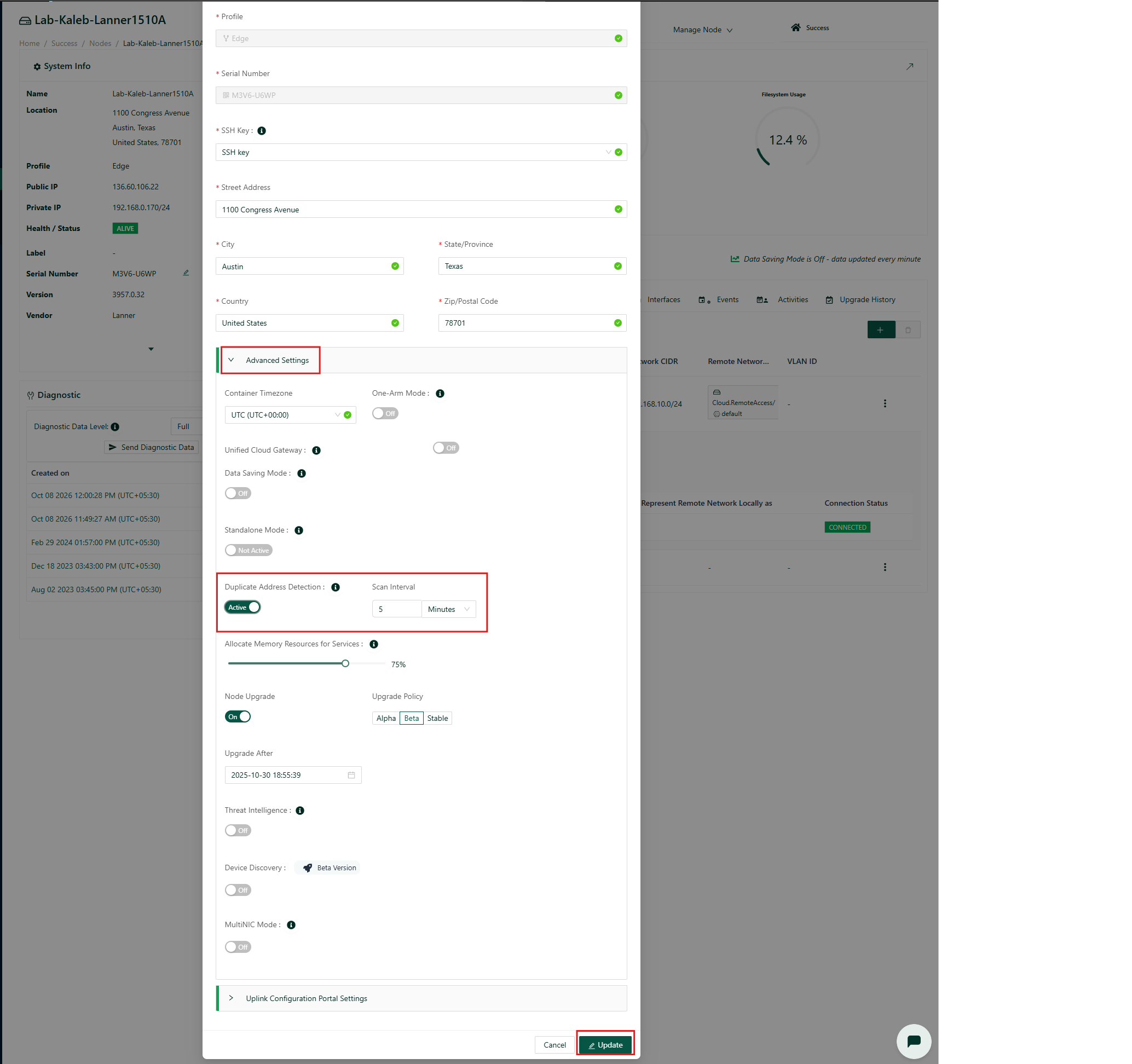
- Turn on Duplicate Address Detection. Also, can customize time interval for the scan.
- Click on update as highlighted below.
![Neeve-Logo-Lockup-SM_rectangle_reverse .png]](https://support.neeve.ai/hs-fs/hubfs/Neeve-Logo-Lockup-SM_rectangle_reverse%20.png?height=40&name=Neeve-Logo-Lockup-SM_rectangle_reverse%20.png)
To enable DAD: