![Neeve-Logo-Lockup-SM_rectangle_reverse .png]](https://support.neeve.ai/hs-fs/hubfs/Neeve-Logo-Lockup-SM_rectangle_reverse%20.png?height=40&name=Neeve-Logo-Lockup-SM_rectangle_reverse%20.png)
- Log in to the Secure Edge Portal.
- Navigate to My Account → Manage Alerts → Add Alert.
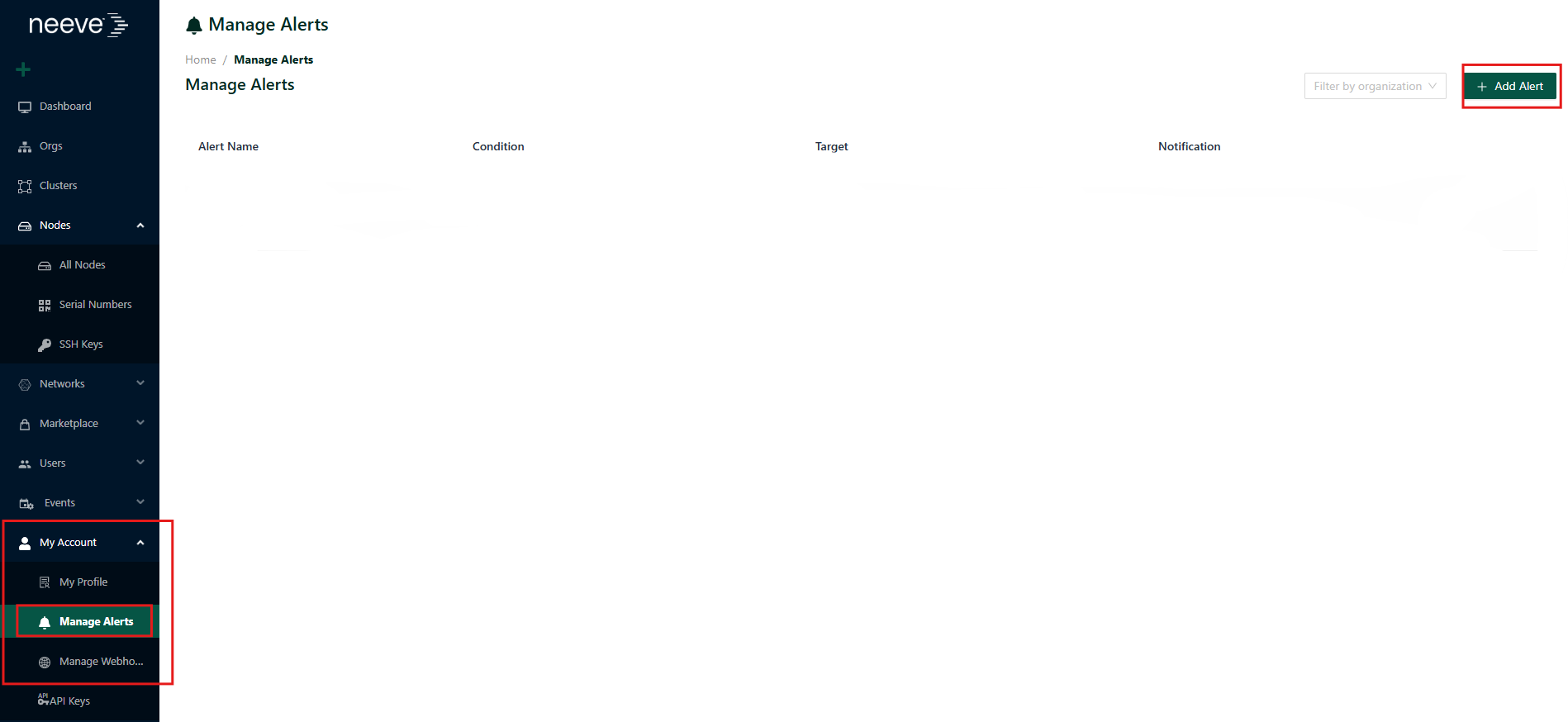
3.Enter an alert name (e.g., Node Offline) and click Next.
4.Select Node Status as the alert type.
5.Set the Condition to Unreachable. (Optionally, you may also select Alive if you wish to receive notifications when the node comes back online.)
6.Configure the Time threshold. For example, if you set it to 10 minutes, an alert will be triggered if the node remains unreachable for more than 10 minutes.
-
- If Organization – to receive notifications for all nodes within the organization.
- If Node – to receive notifications only for specific selected node(s).
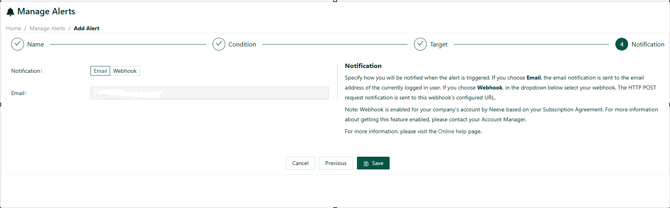
- 8.Click Next, choose Email Notification, enter the required email address(es), and Save the configuration.