![Neeve-Logo-Lockup-SM_rectangle_reverse .png]](https://support.neeve.ai/hs-fs/hubfs/Neeve-Logo-Lockup-SM_rectangle_reverse%20.png?height=40&name=Neeve-Logo-Lockup-SM_rectangle_reverse%20.png)
Pre-requisite: You must have Org Admin permissions in the Secure Edge Portal to deploy Marketplace services.
Deployment Steps
- Log in to the Secure Edge Portal using your email address and password.
- Select the specific Node where you want to deploy the service.
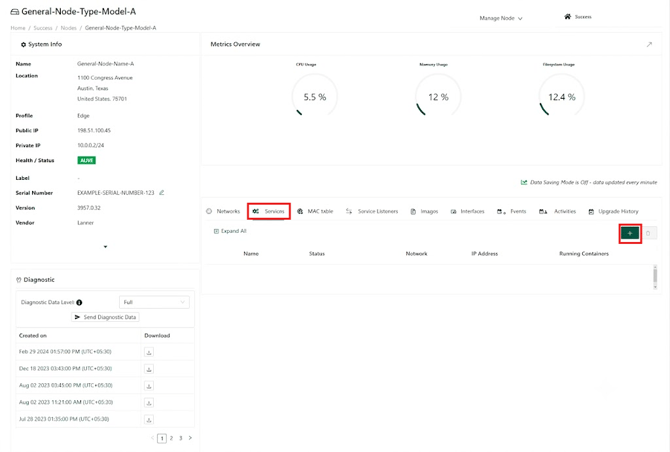
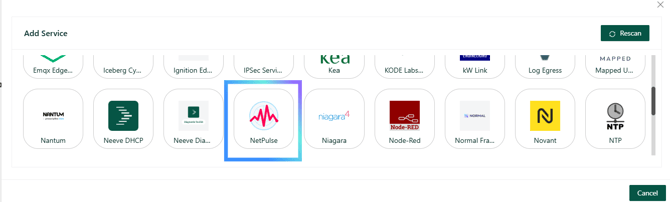
- Navigate to the Marketplace and add the Netpulse service.
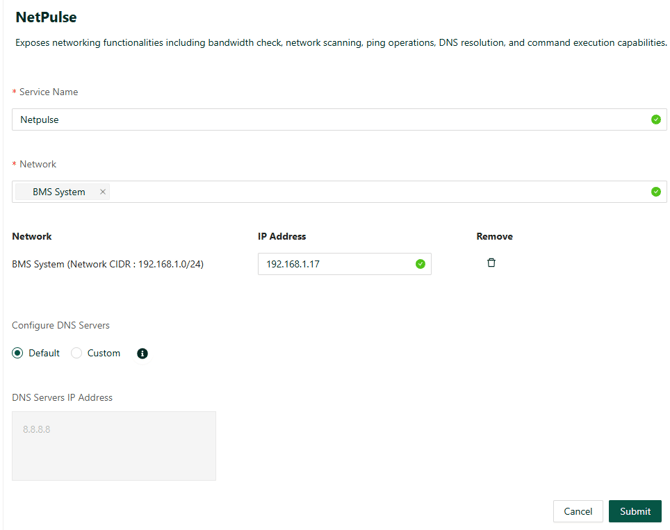
- Enter the following in the Add service page.
- Enter a Service Name select a Network.
- Assign an IP address from the Reserved Range for the deployment.
- Select Default in configure DNS server, unless a custom DNS is used.
- Click Submit to deploy the service.
- Wait until the service status changes to Healthy.
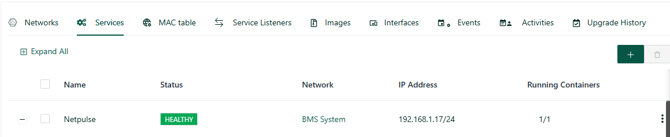
- Once the service is healthy, add the device in either the Neeve Portal or the Remote Access Portal using the following configuration:
- IP Address: The IP assigned to the deployed Netpulse service (from Step 5)
- Port: 8000
- Connection Type: HTTP
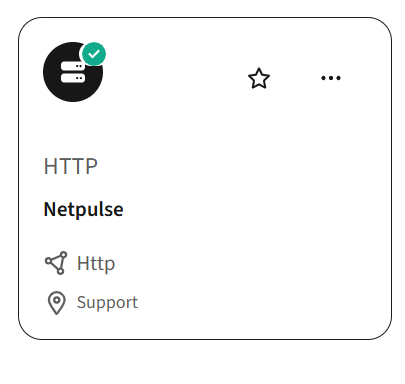
- After the device is successfully onboarded, you can access the Netpulse tool from Neeve Portal to begin troubleshooting and connectivity diagnostics.