![Neeve-Logo-Lockup-SM_rectangle_reverse .png]](https://support.neeve.ai/hs-fs/hubfs/Neeve-Logo-Lockup-SM_rectangle_reverse%20.png?height=40&name=Neeve-Logo-Lockup-SM_rectangle_reverse%20.png)
Overview
Secure Edge > Node > Service > Add> Market Place > NeeveDHCP
A DHCP reservation allows you to assign a specific IP address to a southbound device (Example: JACE PC, etc) based on its MAC address.
This ensures that the device receives the same IP address whenever it connects to the network.
Prerequisites:Before configuring the reservation, make sure you have:
- End Device Name
- Device's MAC address
- IP address - want to assign
Secure Edge > Node > Service > Add> Market Place > NeeveDHCP
- Open the NeeveDHCP ( Service )
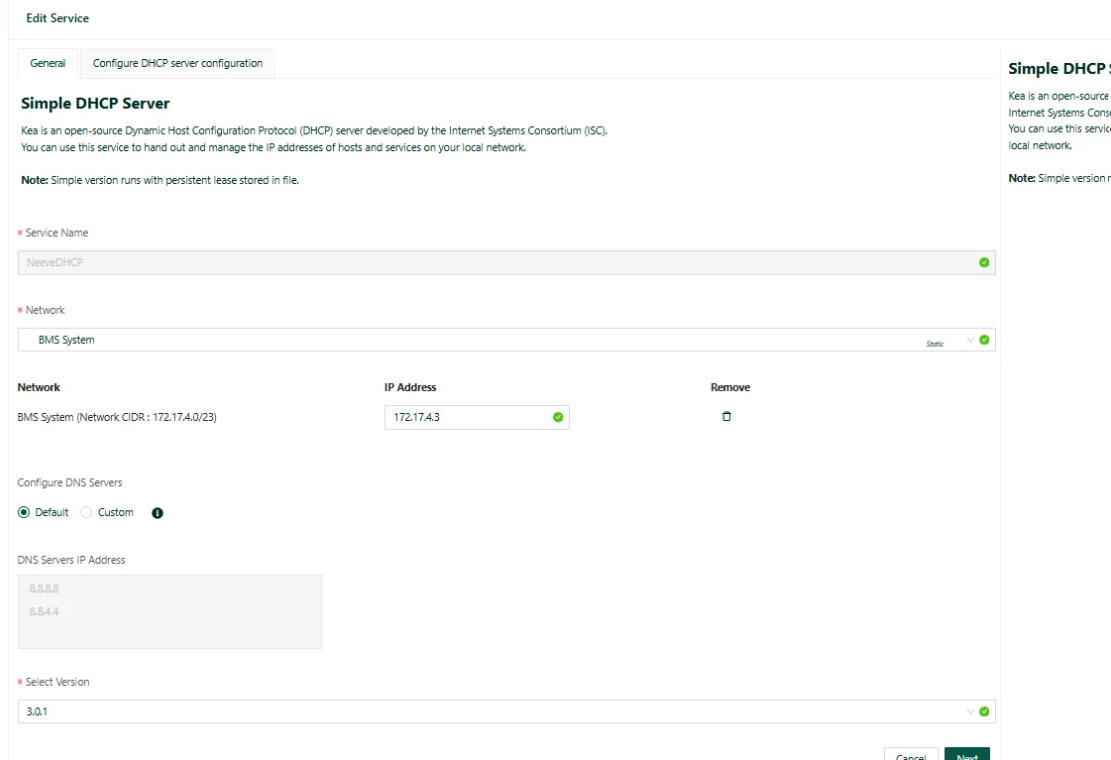
- Provide Required IP and Configurations for the Service and Navigate to the DHCP Reservation section by click NEXT.
- Add a new Reservation.
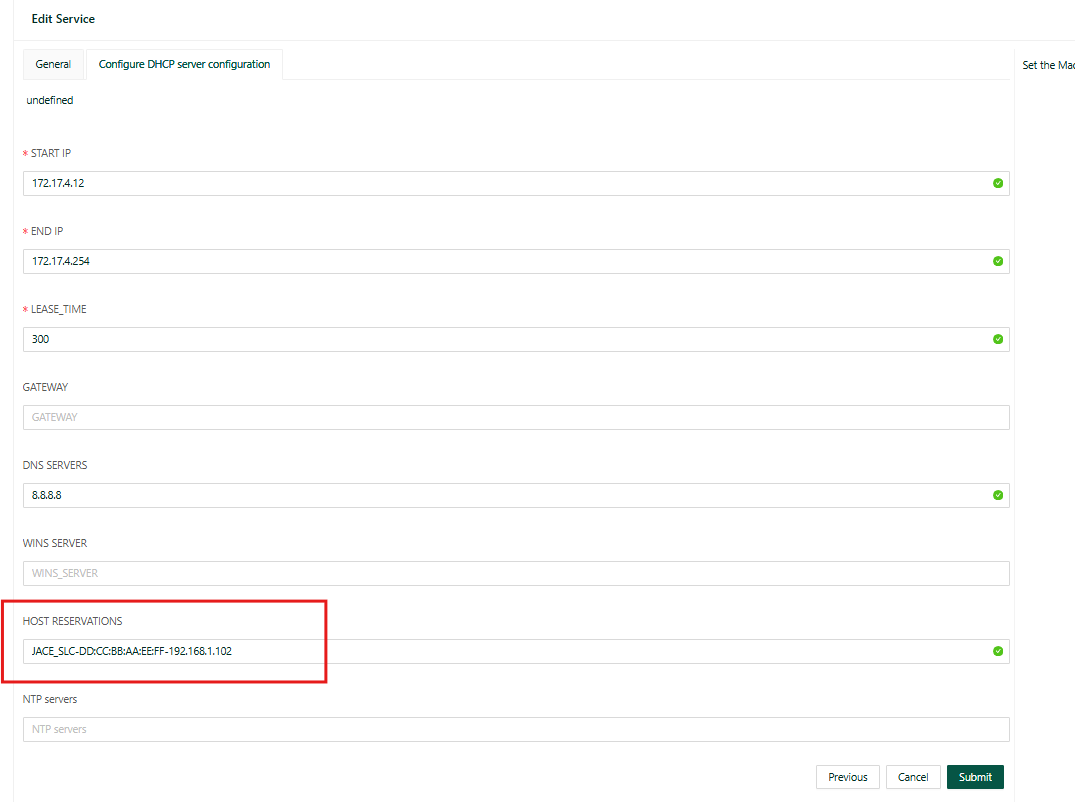
- Enter the following details: (Example)
- Name: JACE_SLC
- MAC Address: 22:BB:CC:DD:EE
- IP Address: 192.168.1.102
For Example :
DD:CC:BB:AA:EE:FF-192.168.1.102
or
JACE_SLC-DD:CC:BB:AA:EE:FF-192.168.1.102